WooCommerce shows your sales. Profit Lens shows if you're actually making money.
Real net profit after product costs, shipping, refunds, and payment gateway fees — in one dashboard, no spreadsheets needed.
You're probably making less than you think.
WooCommerce tells you how much you sold. It doesn't tell you what you spent on shipping, how much Stripe or PayPal kept, or how many refunds ate into your margins. Most store owners find out they have a problem when they check their bank account. Profit Lens shows it to you before that.
Everything you need to know where you stand.
Self-hosted. No account, no external services — everything calculates inside your own WordPress install.
✓ Your data stays on your server — the free plugin makes no external requests.
Get it free on WordPress.org →Your store's real numbers, finally in one place.
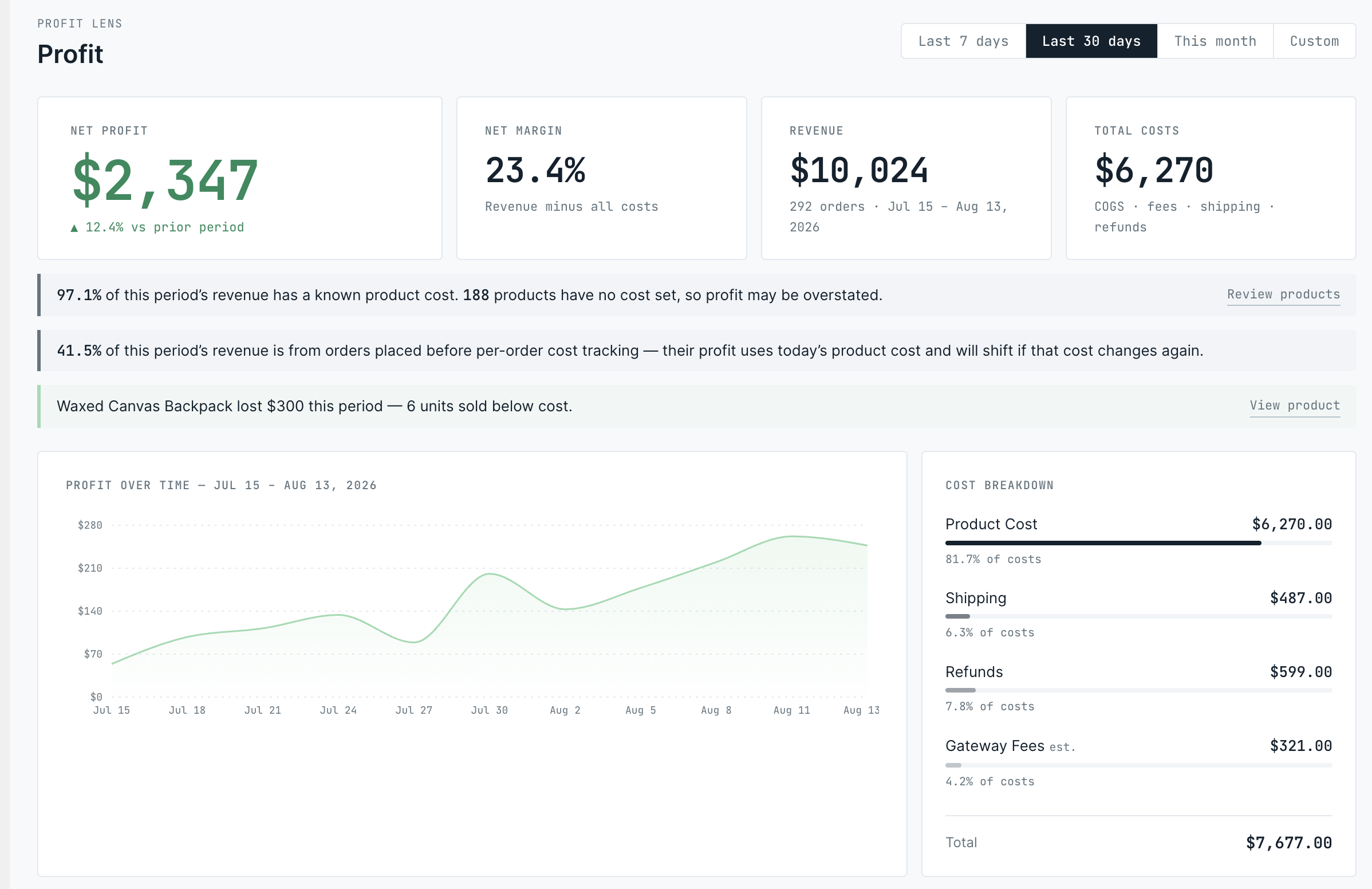
Net profit, margin percentage, and a full breakdown by product — updated every time you open it, filtered by any date range.
For stores that advertise.
An add-on for stores that spend on ads and want to see profit after that spend too — not just after product costs, fees, shipping and refunds.
If more than one person has access to your store — a VA, a freelancer, a team member with a WordPress login — not everyone needs to see your margins and costs. User access control lets you choose exactly which WordPress users can open the Profit Lens dashboard at all, so what Profit Lens calculates stays between you and whoever you decide should see it.
The Google Ads connection is read-only — Profit Lens Pro never edits your campaigns. Your ad data and OAuth tokens are stored only in your own WordPress database, not on arc7.dev servers. Read the full policy.
Pro installs alongside the free Profit Lens plugin — it's an add-on, not a replacement.
Quick answers
Stop guessing what
your ads are actually worth.
See profit and ROAS after ad spend, right next to the rest of your numbers — in your own WordPress dashboard.